'%20fill='%23fff'%20fill-rule='evenodd'%20clip-rule='evenodd'%20d='M1.94516e-05%200.0202086C0.0420195%201.22421%2015.477%2022.8672%2025.974%2036.4392C80.466%20106.895%20148.48%20166.337%20231.974%20216.477C250.654%20227.694%20271.214%20239.258%20308.974%20259.785C390.041%20303.855%20418.027%20323.655%20445.375%20356.29C457.567%20370.839%20458.267%20370.657%20438.242%20358.146C387.532%20326.465%20356.693%20316.359%20305.474%20314.635C278.901%20313.741%20256.584%20316.015%20228.224%20322.508C219.385%20324.532%20216.216%20326.29%20221.407%20326.29C233.608%20326.29%20264.586%20334.87%20282.263%20343.145C295.881%20349.52%20314.974%20361.858%20314.974%20364.283C314.974%20364.695%20312.612%20365.334%20309.724%20365.703C241.199%20374.463%20154.183%20428.191%2092.562%20499.79C75.09%20520.091%2071.7%20524.859%2077.035%20521.628C78.926%20520.482%2084.728%20516.968%2089.927%20513.819C112.706%20500.021%20145.195%20487.437%20169.935%20482.828C181.824%20480.613%20205.552%20478.817%20211.298%20479.696L216.122%20480.435L203.794%20493.112C142.137%20556.516%20104.948%20625.881%2092.913%20699.925C90.533%20714.569%2090.783%20715.586%2094.806%20707.641C105.92%20685.691%20127.936%20659.716%20144.474%20649.04C150.781%20644.969%20158.103%20641.29%20159.899%20641.29C160.273%20641.29%20161.083%20648.827%20161.699%20658.04C165.47%20714.441%20188.011%20764.593%20226.674%20802.603C262.563%20837.887%20306.066%20866.035%20398.474%20913.767C434.747%20932.503%20444.973%20937.877%20458.974%20945.562C570.722%201006.9%20619.955%201060.37%20650.021%201153.06C653.459%201163.66%20656.39%201172.21%20656.535%201172.06C656.68%201171.91%20657.989%201166.17%20659.445%201159.29C682.51%201050.31%20655.152%20934.035%20584.506%20840.79C562.617%20811.9%20543.899%20791.508%20489.954%20737.79C426.931%20675.032%20411.607%20655.099%20405.006%20627.29C392.323%20573.863%20438.939%20538.423%20500.849%20554.425C526.675%20561.1%20544.604%20577.062%20549.915%20598.107L551.59%20604.743L564.032%20606.485C634.063%20616.289%20704.147%20646.368%20736.626%20680.561C749.96%20694.598%20749.787%20706.055%20736.132%20713.269L732.474%20715.202L742.766%20715.246C753.94%20715.294%20764.079%20713.573%20776.282%20709.556L784.091%20706.987L786.782%20708.95C791.451%20712.357%20797.8%20722.825%20799.144%20729.336C800.681%20736.776%20800.851%20736.757%20806.282%20728.54C830.903%20691.286%20836.954%20633.079%20820.076%20595.855L817.271%20589.667L808.372%20586.346C782.299%20576.613%20762.637%20558.586%20741.181%20524.743C729.885%20506.926%20727.08%20500.527%20723.898%20485.323C719.333%20463.505%20718.535%20461.808%20707.053%20449.509C690.138%20431.393%20684.217%20423.522%20661.746%20389.29C602.592%20299.172%20519.411%20225.38%20413.356%20168.936C385.699%20154.217%20328.981%20128.949%20327.322%20130.609C327.135%20130.796%20332.883%20134.879%20340.096%20139.682C394.802%20176.112%20443.502%20218.504%20467.755%20250.806C475.015%20260.475%20485.69%20277.926%20484.843%20278.74C484.64%20278.936%20480.199%20275.945%20474.974%20272.096C430.93%20239.644%20400.199%20223.792%20315.974%20190.078C174.722%20133.537%20108.045%2094.3042%2016.767%2014.0202C7.53105%205.89621%20-0.0139805%20-0.403791%201.94516e-05%200.0202086ZM592.467%20436.927C603.971%20451.343%20612.149%20463.814%20615.502%20472.054C626.595%20499.317%20631.458%20503.825%20657.974%20511.427C664.299%20513.24%20674.182%20517.081%20679.937%20519.961C685.691%20522.842%20690.502%20525.096%20690.627%20524.971C690.752%20524.845%20688.519%20521.149%20685.664%20516.757C682.81%20512.364%20678.077%20504.207%20675.147%20498.629C668.633%20486.227%20664.825%20482.16%20649.462%20471.196C634.986%20460.866%20585.876%20426.936%20584.662%20426.427C584.187%20426.228%20587.699%20430.953%20592.467%20436.927Z'/%3e%3c/svg%3e)
Hours Report
The hours report is the only calculation engine for minutes. Payroll, invoicing and controlling all use the same source.
Requirements
- Shifts planned
- Time tracking in use
The three times
Each row shows three values that must be kept separate:
- Planned time: the planned shift duration minus the break maintained for the service.
- Actual time: from check-in to check-out. If check-out is missing, the calculation runs until the end of the shift, but no later than now. The break is not deducted from the actual time.
- Counted time: the number that counts. It is the basis for payroll and invoices.
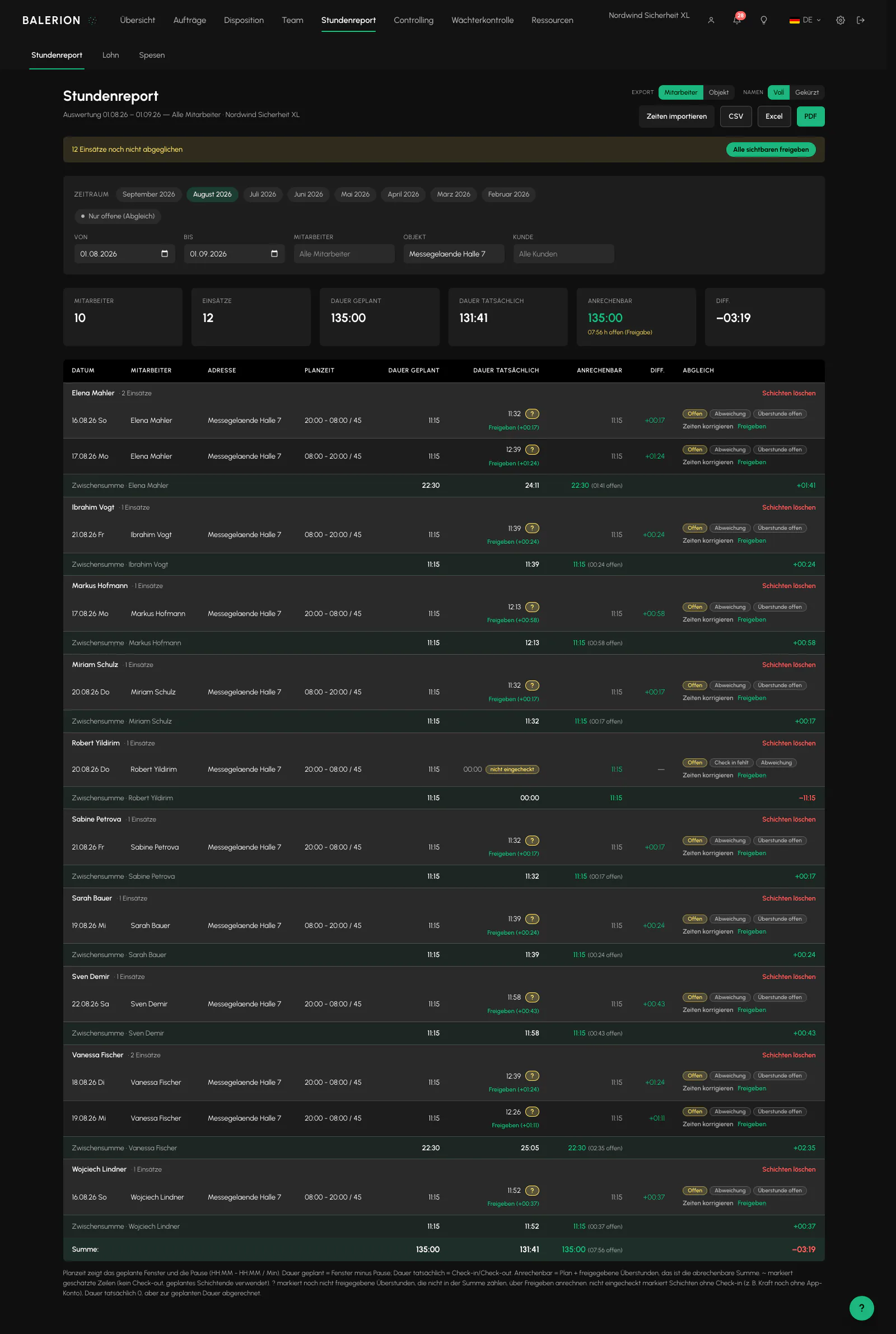
How counted time is determined
Billing is generally based on the planned time, not the clocked time. This leads to three points that regularly prompt questions in practice:
- Anyone who stays longer only has the additional time counted after approval.
- Anyone who leaves early is still billed for the planned time. Negative time does not reduce the counted time.
- Anyone who does not check in at all is also billed for the planned time. However, the row only appears after the shift ends.
There is one exception: if a shift ends early because the security officer reports sick, uncovered time is created. It only counts after separate approval, see below.
Time rounding
If required, the counted time is rounded to an interval. Configure this under Settings, Calculation behavior card: interval of 5, 10, 15 or 30 minutes, with commercial rounding, rounding down or rounding up.
Rounding happens exactly once, at a single point in the hours calculation. This is why the report, payroll, analysis and working time account use the same number.
Only rows with a complete pair of clock events are affected. Rows billed according to the plan, ongoing shifts and rows without check-out remain exact to the minute.
Rounding is off by default. Calculations are exact to the minute. The interval and direction can only be set together or cleared together.
Importing times from a CSV file
If the actual times come from a time clock or external system, you can import them through "Import times" in the hours report.
The file requires the header personalnummer;datum;von;bis. A comma is also recognized as a delimiter. Use TT.MM.JJJJ or JJJJ-MM-TT for the date and HH:MM for the time. If the end time is less than or equal to the start time, it is treated as the following day. An existing "pause" column is deliberately ignored and acknowledged in each row.
First, you get a preview that writes nothing. Each row shows a status: Ready, No match, Ambiguous, Outside limits, Locked or Invalid. Matching uses the personnel number and start date. Multiple assignments on the same day result in "Ambiguous".
The import checks exactly the same rules as manual entry, so the same limits apply: a period of no more than 24 hours, check-in no more than 12 hours before the planned start, and check-out no more than 12 hours after the planned end. A closed month results in "Locked" instead of stopping the import. When you apply the import, every row is checked again rather than accepting the preview without verification.
The file may be up to 1 MB.
Approving overtime
Additional time compared with the plan initially appears in parentheses as "open" and is not included in any total. One click on "Approve" makes it count, and a second click withdraws the approval.
Every approval and every withdrawal is recorded in the log. Because the counted time is the basis for both payroll and invoices, one click in the hours report changes both at the same time.
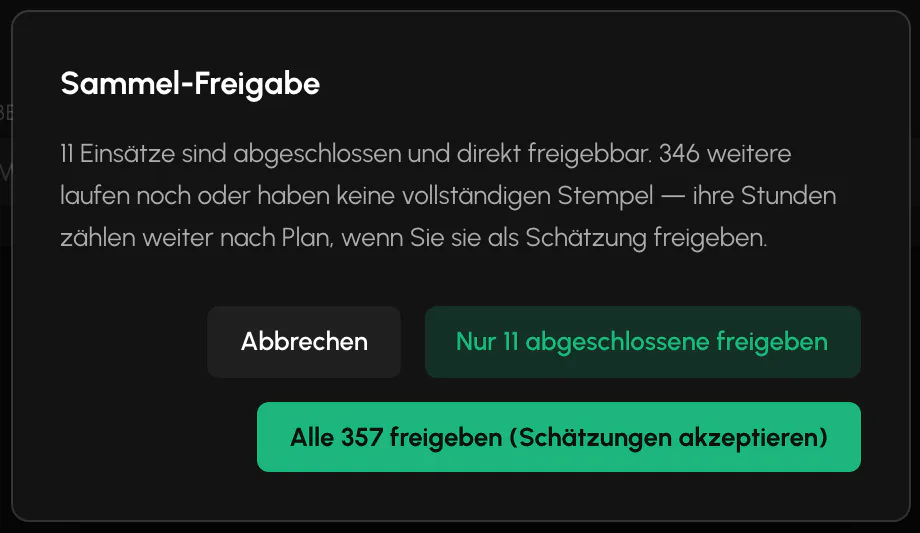
Approve all visible processes the entire filtered period at once, even when it contains several hundred assignments. Approval is processed in batches. You only see the result.
Uncovered time
If a security officer reports sick during the shift and a replacement takes over, the post is divided. If the replacement checks in late, a gap remains.
These minutes are not billed without notice. They appear with the "Uncovered" label and, like overtime, require explicit approval. Only the row ended due to sickness for a post staffed by multiple people can contain uncovered time.
Reconciliation and labels
Each assignment has an approval status, open or approved, along with labels such as "Check-in missing", "Check-out missing", "Deviation" and "Overtime open". The deviation label appears when the difference between planned and actual time exceeds 15 minutes.
Only a completed assignment can be approved, meaning one with a check-out or the status "not started" or "rejected". Rows without check-out have an explicit special path that approves the planned hours while deliberately inventing no timestamp.
Totals are always calculated from the complete set of rows, even if "open only" is selected above.
Searching filters
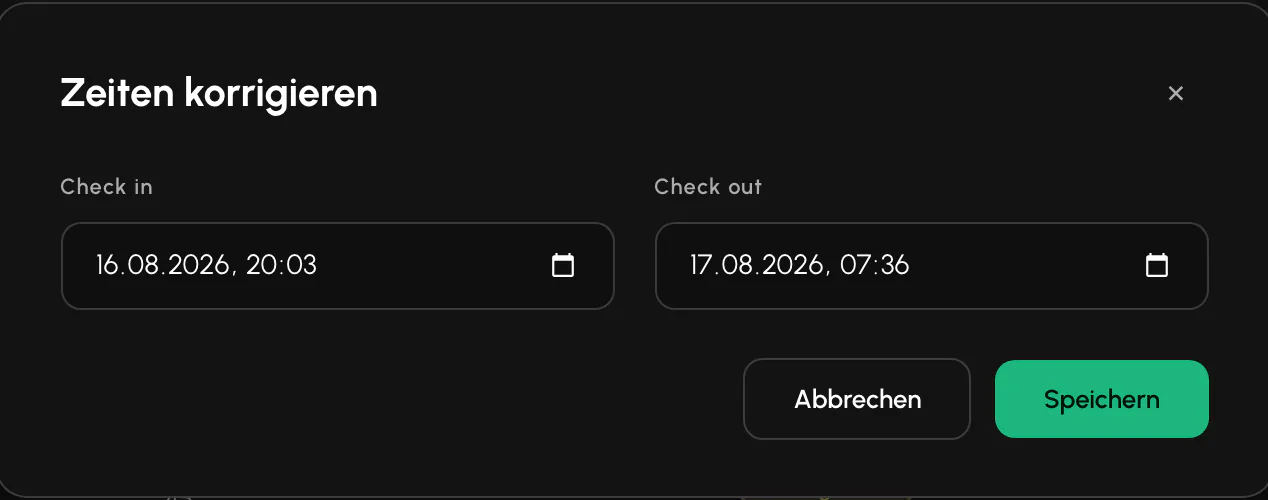
The filters for security officer, site and customer are search fields: type, select from the suggestions, and you are done. Filtering only starts after a person or entry has been selected. A text fragment alone does not change the report. Clearing the field removes the filter.
The suggestions include all records. Even with very large numbers of security officers, sites or customers, the search finds every entry.
Related
- Time TrackingSecurity officers clock in and out in the app, not in the Cockpit. The server checks the location and records the timestamp.
- Payroll and PremiumsBalerion Security calculates gross pay and tax-free premiums. The payroll office handles payroll tax, social insurance and net pay.
- Invoicing and ControllingReviewed hours become a draft invoice. Which hourly rate applies depends on where you maintained it.
Updated on: 03.09.2026