
Absences
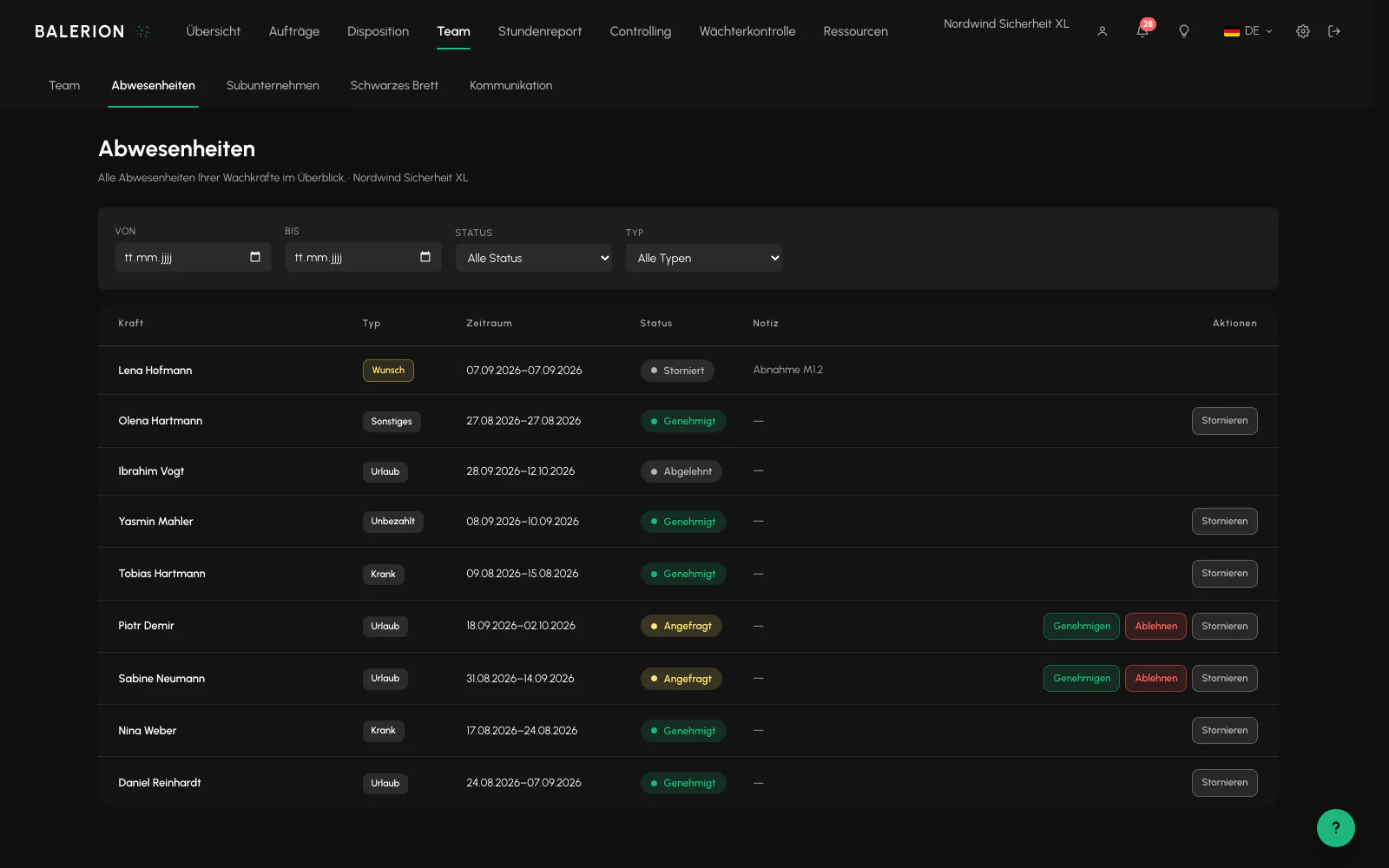
Five types, four statuses. One type is approved without blocking scheduling.
Record and request
There are five types: Vacation, Sick, Unpaid, Other, and Preferred day off. If Scheduling creates an absence, it is approved immediately. If a staff member requests it in the app, it is created as a request and must be approved.
The preferred day off is the special case. The staff member uses it to say on which days they would prefer not to be scheduled without requesting vacation. It is approved like an absence, but does not block scheduling and remains completely neutral for payroll and the working time account. It is a preference, not a block.
The periods are recorded by full days, and the end date is included in full.
When you create an absence in the Cockpit, there is a Reason field. The options come from the absence reasons under Settings, Payroll, and the field is required as soon as active reasons are maintained there. For sickness, users with the appropriate permission also see the Sickness case field: new sickness or continuation of an earlier one. This determines whether continued pay starts again.

What is blocked
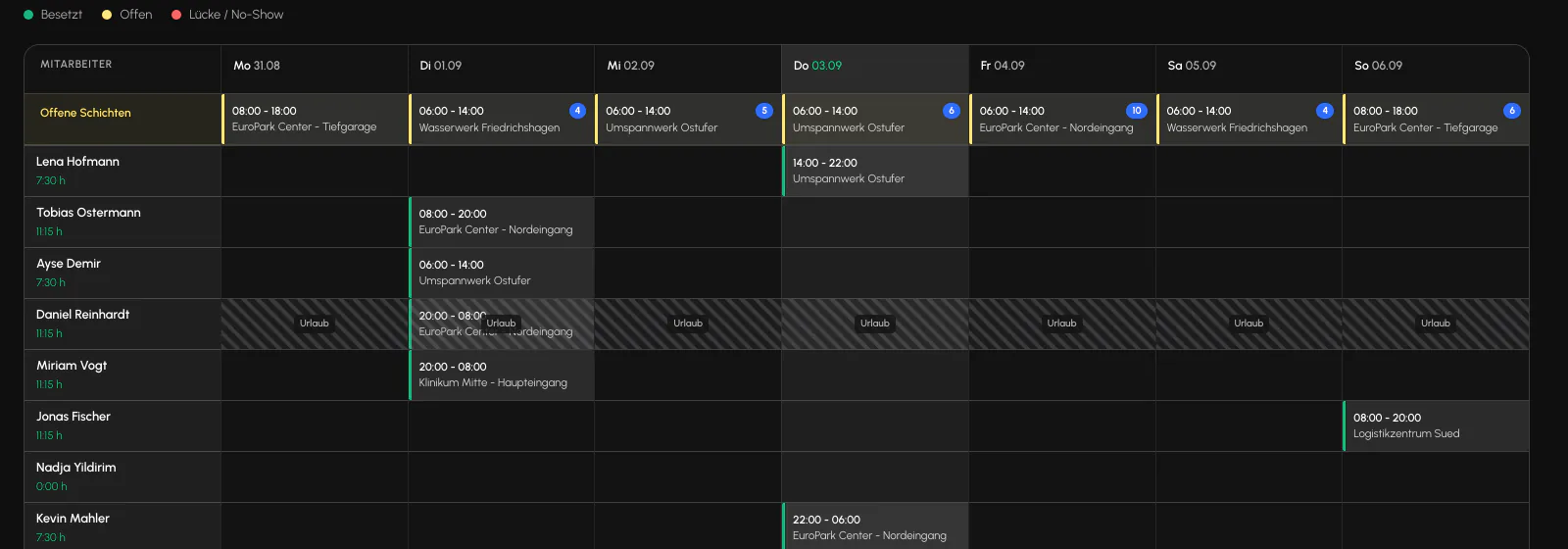
Only approved absences block scheduling. An open request does not freeze the schedule. The staff member can still be scheduled. The replacement agent is stricter here and also excludes requested periods.
A preferred day off is not a block even when approved, as explained above. Ignoring it does not violate a rule, but it does break a commitment.
What is missing
You can see the remaining holiday in the “Holiday account” of the employee file, and staff members can also see their own balance. Without an entered annual entitlement, the value stays empty.
So that no one goes looking for them: there is no vacation calendar for the entire team, and there is no warning when the vacations of several staff members overlap.
Related
- Team and rolesSix roles sit above a finely structured permission vocabulary. What someone can see is determined by the permission, not by the role alone.
- Schedule and dispatchSite rows against a time axis. Drag, extend, split and staff shifts. A set of rules checks every assignment.
- Payroll and bonusesBalerion Security calculates gross pay and tax-free bonuses. The payroll office handles wage tax, social insurance and net pay.
Updated on: 03.09.2026