'%20fill='%23fff'%20fill-rule='evenodd'%20clip-rule='evenodd'%20d='M1.94516e-05%200.0202086C0.0420195%201.22421%2015.477%2022.8672%2025.974%2036.4392C80.466%20106.895%20148.48%20166.337%20231.974%20216.477C250.654%20227.694%20271.214%20239.258%20308.974%20259.785C390.041%20303.855%20418.027%20323.655%20445.375%20356.29C457.567%20370.839%20458.267%20370.657%20438.242%20358.146C387.532%20326.465%20356.693%20316.359%20305.474%20314.635C278.901%20313.741%20256.584%20316.015%20228.224%20322.508C219.385%20324.532%20216.216%20326.29%20221.407%20326.29C233.608%20326.29%20264.586%20334.87%20282.263%20343.145C295.881%20349.52%20314.974%20361.858%20314.974%20364.283C314.974%20364.695%20312.612%20365.334%20309.724%20365.703C241.199%20374.463%20154.183%20428.191%2092.562%20499.79C75.09%20520.091%2071.7%20524.859%2077.035%20521.628C78.926%20520.482%2084.728%20516.968%2089.927%20513.819C112.706%20500.021%20145.195%20487.437%20169.935%20482.828C181.824%20480.613%20205.552%20478.817%20211.298%20479.696L216.122%20480.435L203.794%20493.112C142.137%20556.516%20104.948%20625.881%2092.913%20699.925C90.533%20714.569%2090.783%20715.586%2094.806%20707.641C105.92%20685.691%20127.936%20659.716%20144.474%20649.04C150.781%20644.969%20158.103%20641.29%20159.899%20641.29C160.273%20641.29%20161.083%20648.827%20161.699%20658.04C165.47%20714.441%20188.011%20764.593%20226.674%20802.603C262.563%20837.887%20306.066%20866.035%20398.474%20913.767C434.747%20932.503%20444.973%20937.877%20458.974%20945.562C570.722%201006.9%20619.955%201060.37%20650.021%201153.06C653.459%201163.66%20656.39%201172.21%20656.535%201172.06C656.68%201171.91%20657.989%201166.17%20659.445%201159.29C682.51%201050.31%20655.152%20934.035%20584.506%20840.79C562.617%20811.9%20543.899%20791.508%20489.954%20737.79C426.931%20675.032%20411.607%20655.099%20405.006%20627.29C392.323%20573.863%20438.939%20538.423%20500.849%20554.425C526.675%20561.1%20544.604%20577.062%20549.915%20598.107L551.59%20604.743L564.032%20606.485C634.063%20616.289%20704.147%20646.368%20736.626%20680.561C749.96%20694.598%20749.787%20706.055%20736.132%20713.269L732.474%20715.202L742.766%20715.246C753.94%20715.294%20764.079%20713.573%20776.282%20709.556L784.091%20706.987L786.782%20708.95C791.451%20712.357%20797.8%20722.825%20799.144%20729.336C800.681%20736.776%20800.851%20736.757%20806.282%20728.54C830.903%20691.286%20836.954%20633.079%20820.076%20595.855L817.271%20589.667L808.372%20586.346C782.299%20576.613%20762.637%20558.586%20741.181%20524.743C729.885%20506.926%20727.08%20500.527%20723.898%20485.323C719.333%20463.505%20718.535%20461.808%20707.053%20449.509C690.138%20431.393%20684.217%20423.522%20661.746%20389.29C602.592%20299.172%20519.411%20225.38%20413.356%20168.936C385.699%20154.217%20328.981%20128.949%20327.322%20130.609C327.135%20130.796%20332.883%20134.879%20340.096%20139.682C394.802%20176.112%20443.502%20218.504%20467.755%20250.806C475.015%20260.475%20485.69%20277.926%20484.843%20278.74C484.64%20278.936%20480.199%20275.945%20474.974%20272.096C430.93%20239.644%20400.199%20223.792%20315.974%20190.078C174.722%20133.537%20108.045%2094.3042%2016.767%2014.0202C7.53105%205.89621%20-0.0139805%20-0.403791%201.94516e-05%200.0202086ZM592.467%20436.927C603.971%20451.343%20612.149%20463.814%20615.502%20472.054C626.595%20499.317%20631.458%20503.825%20657.974%20511.427C664.299%20513.24%20674.182%20517.081%20679.937%20519.961C685.691%20522.842%20690.502%20525.096%20690.627%20524.971C690.752%20524.845%20688.519%20521.149%20685.664%20516.757C682.81%20512.364%20678.077%20504.207%20675.147%20498.629C668.633%20486.227%20664.825%20482.16%20649.462%20471.196C634.986%20460.866%20585.876%20426.936%20584.662%20426.427C584.187%20426.228%20587.699%20430.953%20592.467%20436.927Z'/%3e%3c/svg%3e)
Organizational Units
For companies with several branches: who can see which sites, orders, and security officers.
Requirements
- Permission to manage organizational units, which the standard dispatcher does not have
- For assigning users: owner
Creating units
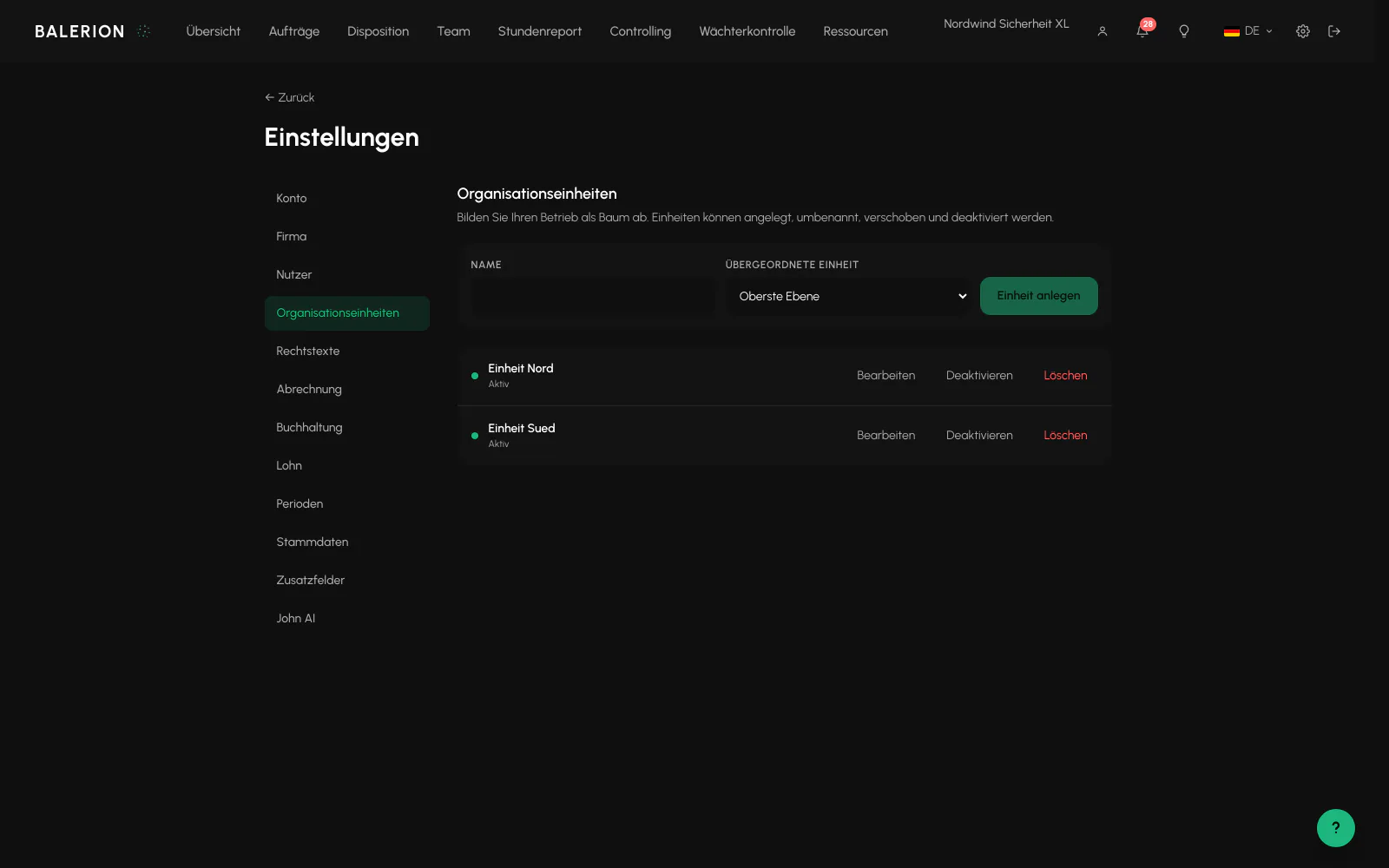
Under Settings, Organizational units, you model the company as a tree, for example with branches and departments beneath them. The tree can be up to five levels deep.
A unit is not a separate tenant. Separation between companies remains unaffected. Units only narrow access within your company.
A unit can only be deleted if it is truly empty. Subunits, sites, security officers, orders, assigned users, and loans are checked.
While no unit exists, the entire module is hidden. The "Unit" field only appears for a site, order, or security officer when there is something to select.
Assigning access
Under User management, every office employee receives access to their units. No selection means access to the entire company, as before. If a unit is selected, the person sees that unit and all units beneath it.
No one can change their own assignment, including an owner. This prevents someone from accidentally locking themselves out.
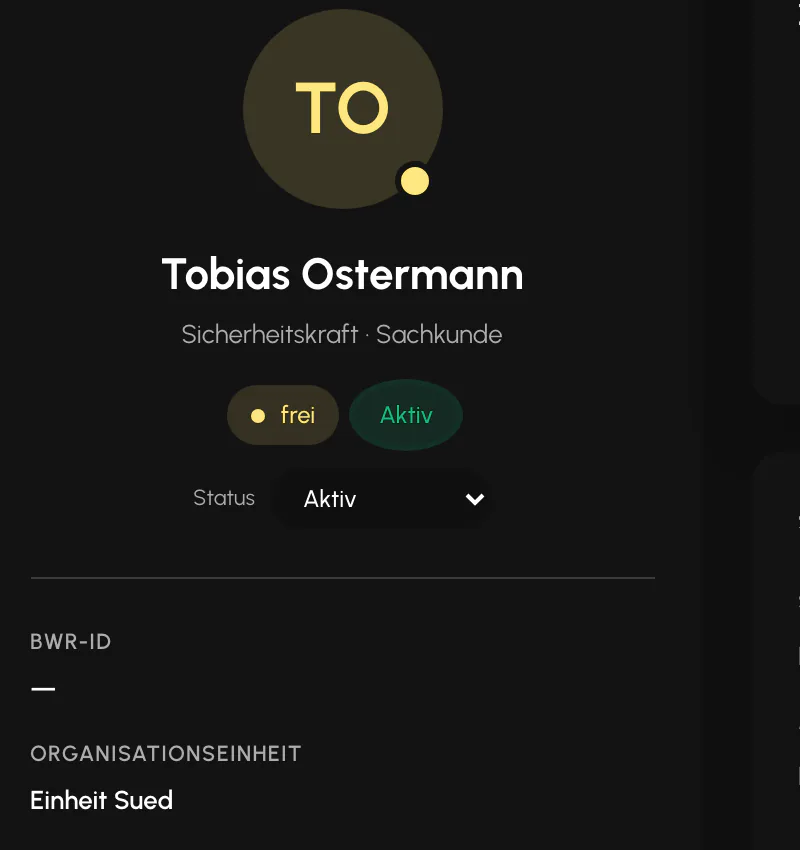
Security officers themselves have no unit access. They have a home unit to which their personnel file and payroll belong.
How to tell that something is filtered
This is the most important point because it can easily look like an error:
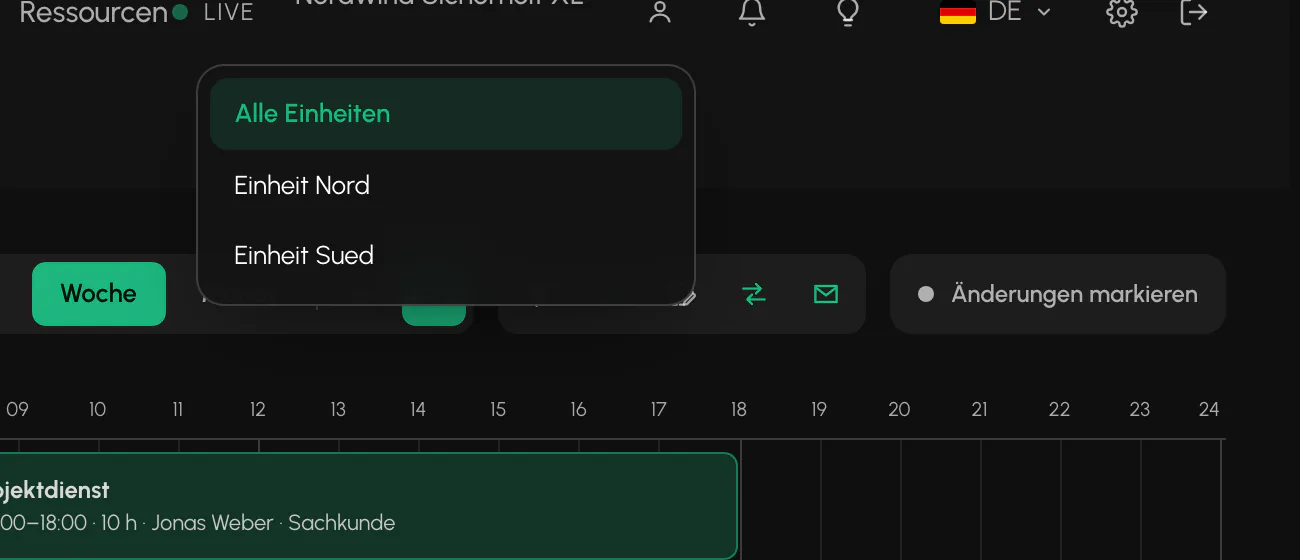
- Lists are shortened silently. There is no "filtered" notice and no count.
- A record outside your unit cannot be found by you. If a colleague can see an order that you cannot find, the unit assignment is almost always the reason.
- Records without a unit remain visible to everyone. Existing data therefore does not disappear when units are introduced.
An additional rule applies to orders: if an order has a site, it inherits the site's unit and the field is locked.
Lending security officers
If a security officer is temporarily helping at another branch, lend them to that branch for a limited period from the Loan tab in the employee profile. An end date is optional. Without one, the loan continues indefinitely.
The loan only extends where the security officer can be scheduled. The personnel file and payroll remain with the home unit. At the end of the period, nothing is moved. The security officer simply disappears from the target unit's candidate list again.
A security officer can be loaned to several units at the same time. Overlapping loans are not prevented.
Visible does not mean assignable
For loaned security officers, two different reference dates apply, which regularly prompts questions:
- A security officer is visible in the palette before their loan begins so that the target unit can plan ahead.
- They are only assignable when the shift start falls within the loan period.
You can therefore correctly drag a visible security officer onto a shift and still have the assignment rejected because the shift is before the loan begins or after it ends. The palette is a planning preview, not a promise that an assignment will be accepted.
Loaned security officers carry the label "Loaned from another unit" or "Loaned until" with a date in the palette and shift schedule. Anyone whose unit access is unrestricted never sees this label because all units are already available to them.
Related
- Team and RolesSix roles, with a finely structured set of permissions above them. What someone sees is determined by the permission, not the role alone.
- Duty Roster and SchedulingSite rows on a timeline. Draw, resize, split and assign. A set of rules checks every assignment in the background.
- Site BlocksBlock a security officer from a specific site, usually at a customer's request. The strictest block in the system.
Updated on: 03.09.2026