
Shift exchange and self-scheduling
Offer open shifts to employees and let them accept shifts themselves. The first person to accept gets the shift.
Publishing to the exchange
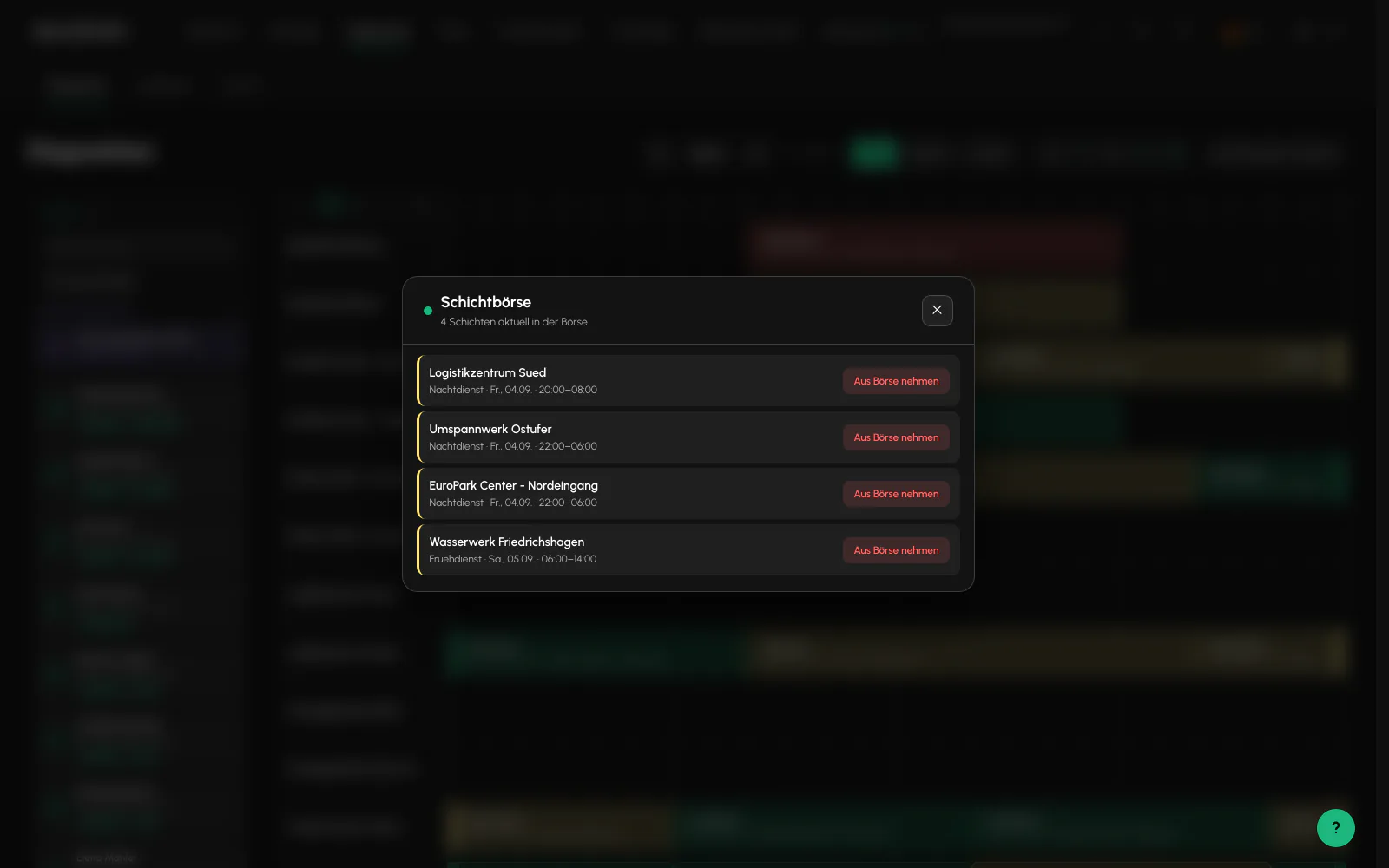
The "Edit shift" window contains "Publish to exchange", either for everyone or limited to 10, 25 or 50 kilometers around the site. The shift changes from "open" to "exchange" and matching employees receive an offer.
Several shifts can be published in one operation through the toolbar, with no more than 200 at a time. If one fails, it is reported as skipped with a reason and does not block the others.
The same bulk selection contains "Request from subcontractor". This sends the selection to a partner company as a request instead of to your own employees, see Subcontractors.
"Remove from exchange" returns the shift to open and withdraws all offers.
Who sees which shifts
The server strictly narrows the list for employees. A shift is visible only if it is on the exchange, is not a draft, has not expired, requires either a qualification held by the employee or no qualification, and no site block exists for that employee.
There is deliberately no radius filter in the app, so festivals and travel jobs remain visible. You control the reach when publishing.
Accepting, the first-come principle
The first suitable employee to accept gets the shift. If several accept at the same time, exactly one assignment is guaranteed. Everyone else receives a notice that the shift has already been assigned. Simultaneous acceptance cannot create a double assignment.
The full rule gate also applies here. Employees accepting a shift themselves have no override. Double booking and Arbeitszeitgesetz rules block the assignment.
Offers and their duration
An offer is valid for a limited time and then expires automatically. If you want to staff a shift more quickly, remove it from the exchange and assign it directly.
When someone accepts, the related offers for the same shift expire automatically.
Related
- Schedule and dispatchSite rows against a time axis. Drag, extend, split and staff shifts. A set of rules checks every assignment.
- Absence and replacementA sickness notification is an operation, not automatic rescheduling. The decision remains with Dispatch.
- The App for Security OfficersFive tabs, no password, and everything a security officer needs while on duty.
Updated on: 03.09.2026