'%20fill='%23fff'%20fill-rule='evenodd'%20clip-rule='evenodd'%20d='M1.94516e-05%200.0202086C0.0420195%201.22421%2015.477%2022.8672%2025.974%2036.4392C80.466%20106.895%20148.48%20166.337%20231.974%20216.477C250.654%20227.694%20271.214%20239.258%20308.974%20259.785C390.041%20303.855%20418.027%20323.655%20445.375%20356.29C457.567%20370.839%20458.267%20370.657%20438.242%20358.146C387.532%20326.465%20356.693%20316.359%20305.474%20314.635C278.901%20313.741%20256.584%20316.015%20228.224%20322.508C219.385%20324.532%20216.216%20326.29%20221.407%20326.29C233.608%20326.29%20264.586%20334.87%20282.263%20343.145C295.881%20349.52%20314.974%20361.858%20314.974%20364.283C314.974%20364.695%20312.612%20365.334%20309.724%20365.703C241.199%20374.463%20154.183%20428.191%2092.562%20499.79C75.09%20520.091%2071.7%20524.859%2077.035%20521.628C78.926%20520.482%2084.728%20516.968%2089.927%20513.819C112.706%20500.021%20145.195%20487.437%20169.935%20482.828C181.824%20480.613%20205.552%20478.817%20211.298%20479.696L216.122%20480.435L203.794%20493.112C142.137%20556.516%20104.948%20625.881%2092.913%20699.925C90.533%20714.569%2090.783%20715.586%2094.806%20707.641C105.92%20685.691%20127.936%20659.716%20144.474%20649.04C150.781%20644.969%20158.103%20641.29%20159.899%20641.29C160.273%20641.29%20161.083%20648.827%20161.699%20658.04C165.47%20714.441%20188.011%20764.593%20226.674%20802.603C262.563%20837.887%20306.066%20866.035%20398.474%20913.767C434.747%20932.503%20444.973%20937.877%20458.974%20945.562C570.722%201006.9%20619.955%201060.37%20650.021%201153.06C653.459%201163.66%20656.39%201172.21%20656.535%201172.06C656.68%201171.91%20657.989%201166.17%20659.445%201159.29C682.51%201050.31%20655.152%20934.035%20584.506%20840.79C562.617%20811.9%20543.899%20791.508%20489.954%20737.79C426.931%20675.032%20411.607%20655.099%20405.006%20627.29C392.323%20573.863%20438.939%20538.423%20500.849%20554.425C526.675%20561.1%20544.604%20577.062%20549.915%20598.107L551.59%20604.743L564.032%20606.485C634.063%20616.289%20704.147%20646.368%20736.626%20680.561C749.96%20694.598%20749.787%20706.055%20736.132%20713.269L732.474%20715.202L742.766%20715.246C753.94%20715.294%20764.079%20713.573%20776.282%20709.556L784.091%20706.987L786.782%20708.95C791.451%20712.357%20797.8%20722.825%20799.144%20729.336C800.681%20736.776%20800.851%20736.757%20806.282%20728.54C830.903%20691.286%20836.954%20633.079%20820.076%20595.855L817.271%20589.667L808.372%20586.346C782.299%20576.613%20762.637%20558.586%20741.181%20524.743C729.885%20506.926%20727.08%20500.527%20723.898%20485.323C719.333%20463.505%20718.535%20461.808%20707.053%20449.509C690.138%20431.393%20684.217%20423.522%20661.746%20389.29C602.592%20299.172%20519.411%20225.38%20413.356%20168.936C385.699%20154.217%20328.981%20128.949%20327.322%20130.609C327.135%20130.796%20332.883%20134.879%20340.096%20139.682C394.802%20176.112%20443.502%20218.504%20467.755%20250.806C475.015%20260.475%20485.69%20277.926%20484.843%20278.74C484.64%20278.936%20480.199%20275.945%20474.974%20272.096C430.93%20239.644%20400.199%20223.792%20315.974%20190.078C174.722%20133.537%20108.045%2094.3042%2016.767%2014.0202C7.53105%205.89621%20-0.0139805%20-0.403791%201.94516e-05%200.0202086ZM592.467%20436.927C603.971%20451.343%20612.149%20463.814%20615.502%20472.054C626.595%20499.317%20631.458%20503.825%20657.974%20511.427C664.299%20513.24%20674.182%20517.081%20679.937%20519.961C685.691%20522.842%20690.502%20525.096%20690.627%20524.971C690.752%20524.845%20688.519%20521.149%20685.664%20516.757C682.81%20512.364%20678.077%20504.207%20675.147%20498.629C668.633%20486.227%20664.825%20482.16%20649.462%20471.196C634.986%20460.866%20585.876%20426.936%20584.662%20426.427C584.187%20426.228%20587.699%20430.953%20592.467%20436.927Z'/%3e%3c/svg%3e)
Orders and Sites
The order generates the shifts. The site provides the geofence, contacts and prices.
Create an order
You specify the customer, site, period, shift length, break and number of security officers. The system generates the individual shifts from this information. Shift length ranges from 15 minutes to 24 hours in quarter-hour intervals.
There is a strict maximum of 500 shifts per order. If it is exceeded, use a longer shift or a shorter period.
On the server, the order window always encloses its shifts. A shift created outside the window expands the order, while moving and deleting shifts adjust it accordingly.
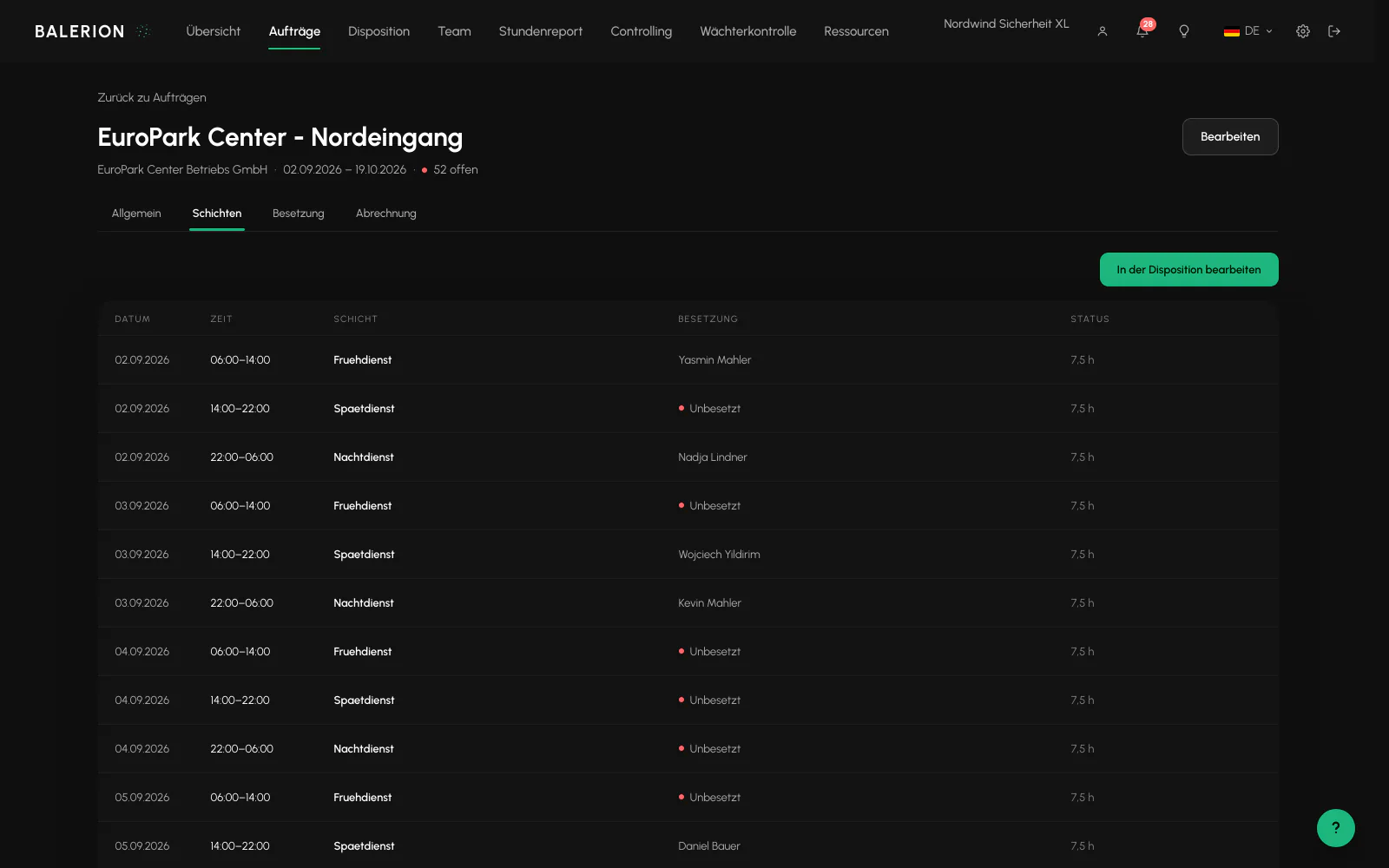
Order overview and quick assigner
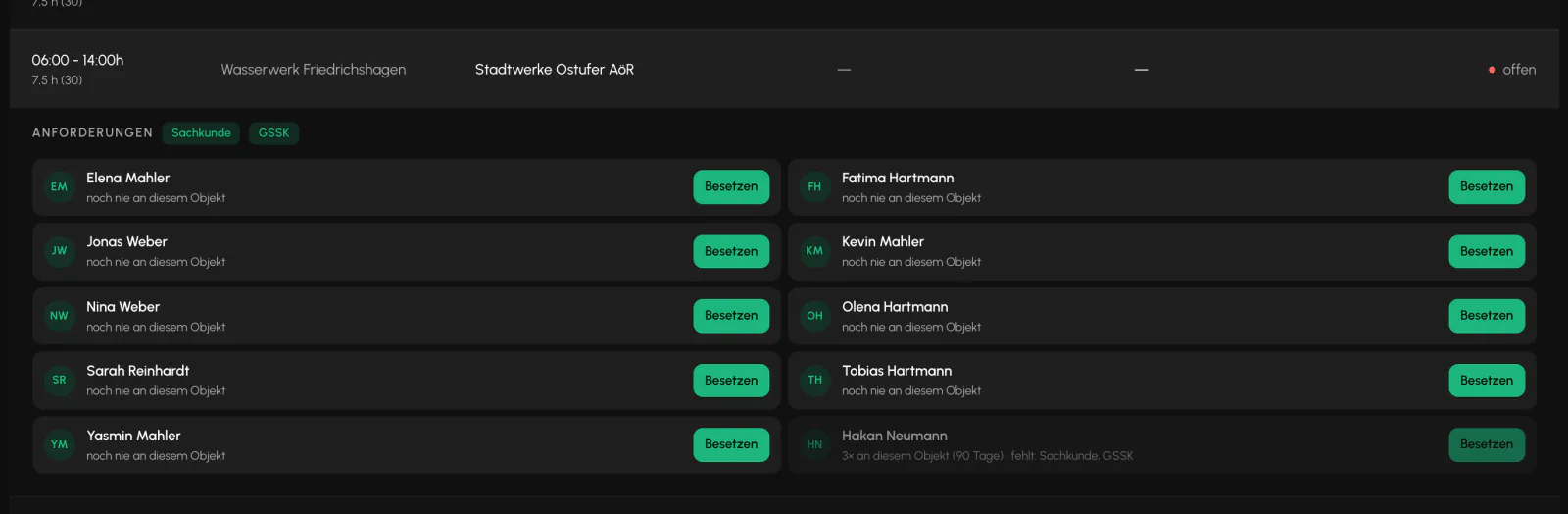
The order overview shows the target, actual and open positions for each order. Clicking a shift row opens a staffing panel below it: required qualifications as chips and the ten best candidates, with each candidate's familiarity with this exact site.
Unqualified officers remain visible, appear dimmed and show what is missing. The Assign button remains available. The server then rejects the assignment.
Important context: The ranking here differs from automatic assignment. It considers only qualification, familiarity with the site and name, not workload, fairness rotation or distance. The assignment itself uses the same rule gate as everywhere else. There is no less restrictive route around the rules here.
Today in view, position stays fixed
When opened, the monthly list in the order overview jumps to the first shift running today, or otherwise to the next shift that starts. After you assign a shift, the list stays in exactly the same position and the open shift remains open.
An open shift also displays its requirements in a compact form: required qualifications, additional requirements, clothing requirements and employee category. This shows who the shift requires before you assign it.
What is deliberately not included
Two terms from other systems have no equivalent here, which can otherwise cause misunderstandings:
- Order positions do not exist as a separate object. The position is the shift, and one shift is one seat. Where the interface says "open positions", it means counted shifts.
- There are no open-ended framework orders. Every order has an end date.
- There are no shift patterns or series. Instead, use Duplicate, "Copy to days" and copying at order level.
Merge and copy
Orders can be merged if the customer and location match, up to 100 at a time. When copying, all times are shifted by the same interval, and assignments can optionally be included. Security officers who are then unavailable appear with a reason in a skipped list instead of causing the entire operation to fail.
Sites
A site includes an address, coordinates, geofence radius (50 to 2000 meters, default 200), contacts, hourly rates by activity and the settings that enable customer access.
A site cannot be deleted while orders are linked to it or evidence data such as security log entries and patrol scans exist. This is intentional because this data is subject to retention requirements.
Contacts exist at three levels: on the order (copied to every shift), on the site and on the customer (with multiple contacts including role and phone number).
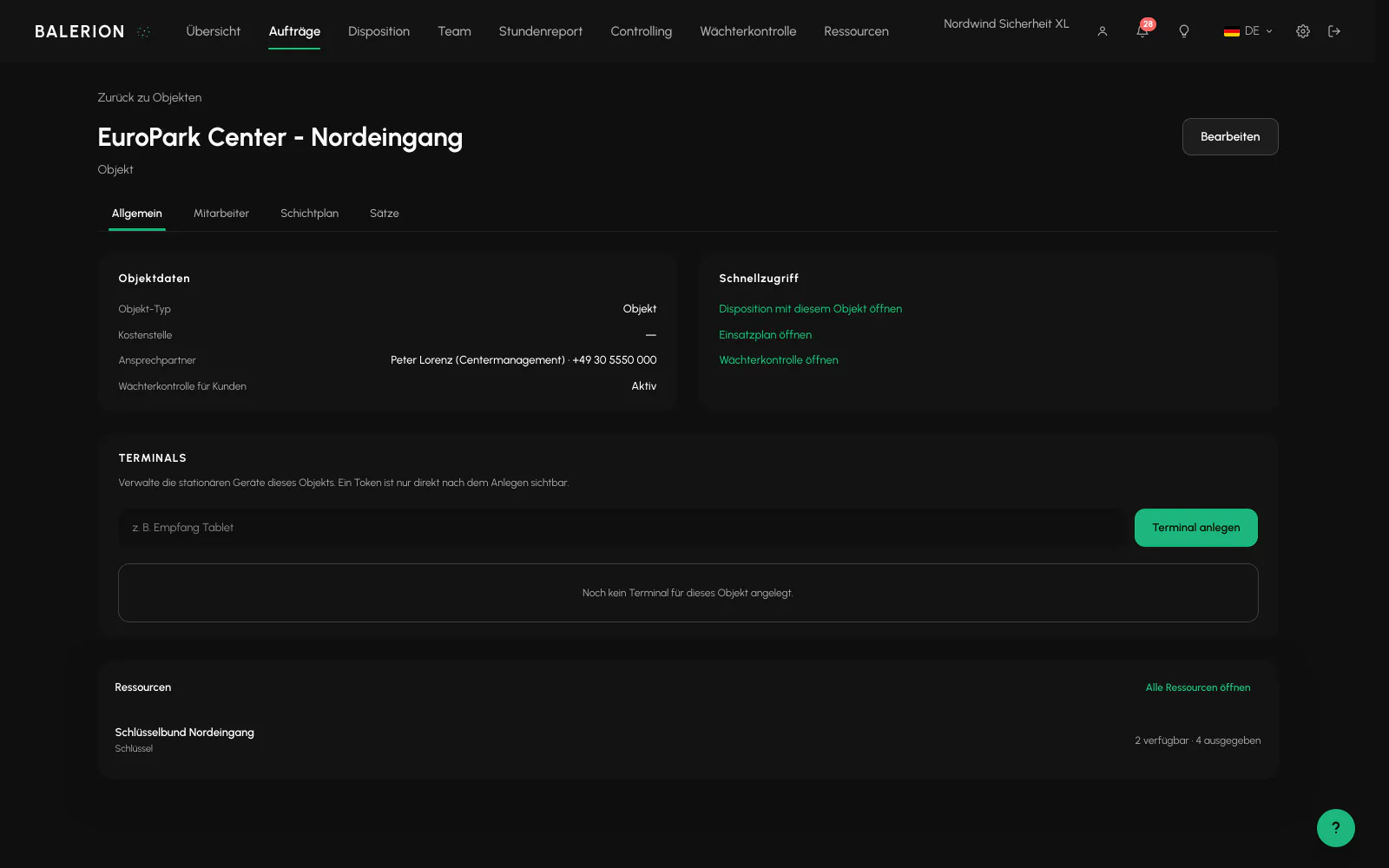
Deployment plan, the site layout
Every site has a graphical layout: place posts, entrances, cameras and assembly points, draw buildings and routes, block zones and add an instruction to each element.
Posts on the site layout have their own geofence and therefore provide a more precise check-in than the site radius alone.
The site must have coordinates. Without them, the plan cannot be edited. Only the scheduling team can save it.
For details, see Operations Center.
Which hourly rate applies
From specific to general, the first match wins: site rate by employee category, then the customer's price list, then the activity rate at the site, then the order rate, then the customer's default rate. If there is no match, invoice creation fails with a notice.
If a deal is assigned to the customer, its rate by employee category is added as a separate level.
For details, see Invoicing and Controlling.
Related
- Duty Roster and SchedulingSite rows on a timeline. Draw, resize, split and assign. A set of rules checks every assignment in the background.
- Invoicing and ControllingReviewed hours become a draft invoice. Which hourly rate applies depends on where you maintained it.
- Guard PatrolsCheckpoints at the site, patrols in the app, and evidence in the Cockpit. This also includes an honest explanation of what a scan proves.
Updated on: 03.09.2026