
Period close
A closed month remains fully readable. Only writing is locked.
Requirements
- Hours for the month checked and approved
- Payroll and invoices generated
- Permission to close periods, which the standard scheduler does not have
Closing and reopening
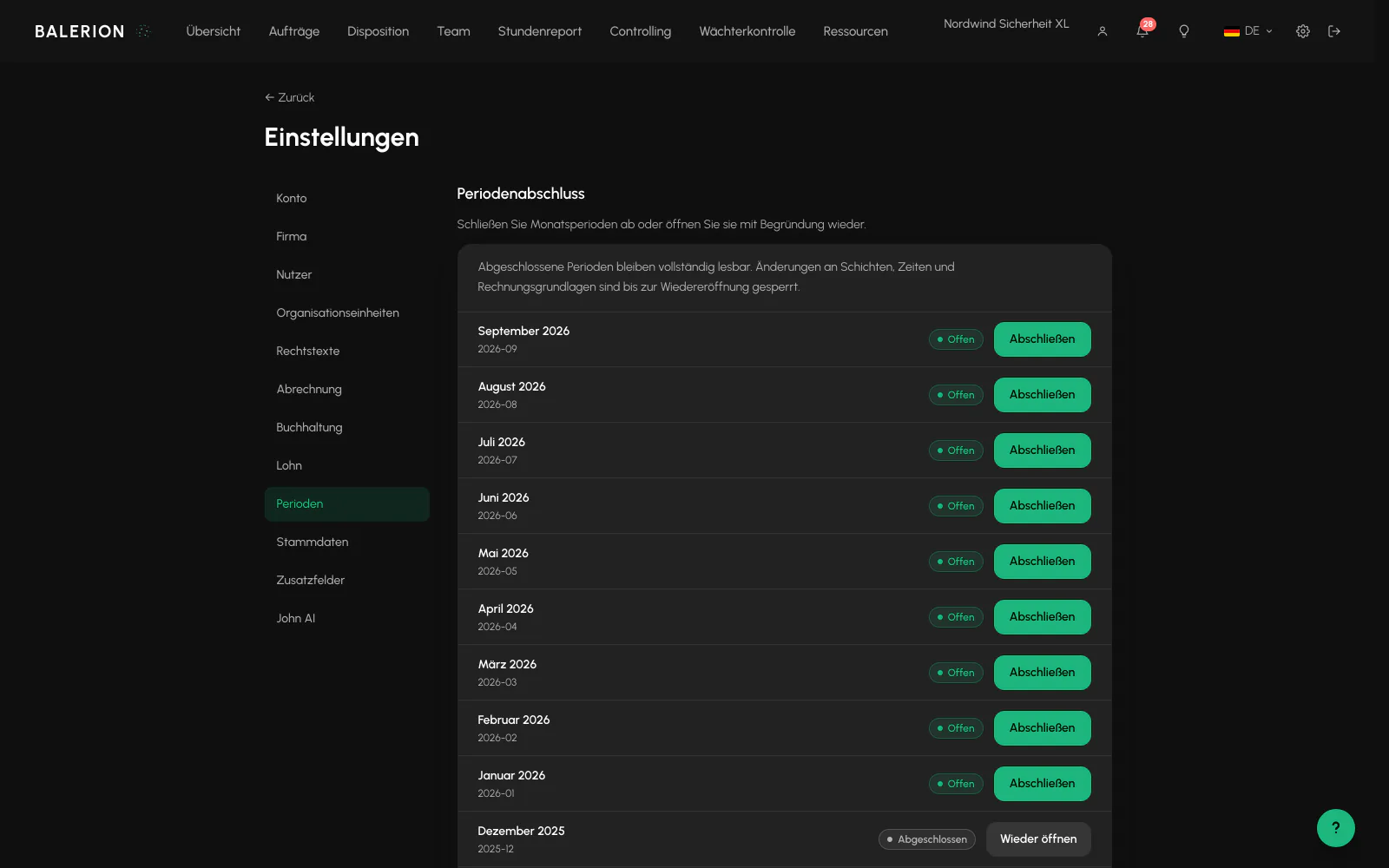
Under Settings, Periods, the last 13 months are listed with the actions "Close" and "Reopen". The German calendar month of the respective business date is decisive.
The current month can be closed, but a future month cannot. The close runs in the background. The row shows "Close in progress" until it is complete. Reopening requires a reason of at least 10 characters. Both operations remain permanently in the log.
When closing is rejected: while cases requiring approval remain open in the month. The message states the number and takes you directly there through "Go to review queue", see Payroll and bonuses.
When reopening is rejected: when the month has already been approved for the payroll office. In that case, use "Start correction" in the payroll handover. Approval there closes the month automatically, so you do not have to close it separately first.
What the lock covers
The lock applies to all write operations that affect the month. These include:
- Check-in, check-out and sickness notification
- Approval of overtime and uncovered time, time correction, matching and undoing a match
- Creating, editing, deleting and publishing shifts, as well as assignments and offers
- Creating, editing and approving orders, quotations and invoices
- Delegations to subcontractors, where both companies must be open
Read paths are not affected. The hours report, payroll preview, all exports and controlling continue to work unchanged for closed months.
Related
- Hours ReportThe hours report is the only calculation engine for minutes. Payroll, invoicing and controlling all use the same source.
- Payroll and bonusesBalerion Security calculates gross pay and tax-free bonuses. The payroll office handles wage tax, social insurance and net pay.
- Invoicing and controllingChecked hours become a draft invoice. You maintain the hourly rates at the site, at the customer, in a deal or on the order.
Updated on: 03.09.2026